Battery
General specifications
The SB device has a 18650 2400 mAh Li-ion cell inside that is charged by the solar panel or wall charger that comes with the device. Li-ion cells are durable cells that have a long lifespan and can withstand both high and low temperatures in comparison to other cells available on the market. The maximum charging voltage for a Li-ion cell is 4.2 volts.
What is the life of the Battery?
Li-ion cells have more than 1000 chargecycles, It can last for up to 5 years.
How to Replace the Battery
Replacing a battery is easy, following these steps:
[1] Turn off the smart meter
[2] Open the enclosure.
[3] Remove the battery.
[4] Check the correct polarity (i.e. check that the positive side of the battery is aligned with the positive terminal of the connector.
[5] Insert the new 18650 Li-ion battery, nominal 3.6-3.7V
cell. Flat top (not button top)
[6] Turn on the smart meter
How to check battery level
In older devices, the three Yellow LEDs show the state of charge of the battery. A blinking LED means the battery is charging.
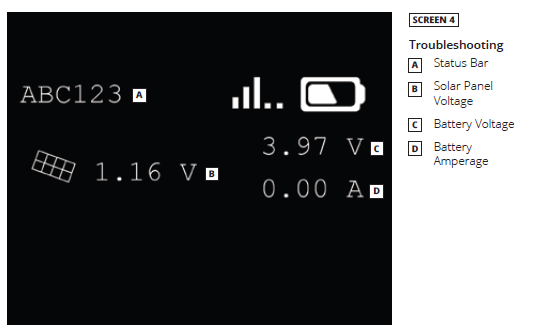
In newer devices with an OLED screen, the battery level is indicated in the top right of the screen.
In the case that the battery is not charging first check that the solar panel is in a sunny spot and then the solar panel connector is securely connected to the device.
If the battery is not charging, get in touch with us at support@smartbiogas.io